Cisco CCNA (200-301) v1.1
Chapter 1. The TCP/IP and OSI Networking Models
Foundation Topics:
- Recognize the purpose and functions of various network devices such as Routers, Switches, Bridges, and Hubs
- Select the components required to meet a given network specificaiton
- Describe the purpose and basic operation of the protocols in the OSI and TCP/IP models
Notes
Intro:
Chap 1. Commands
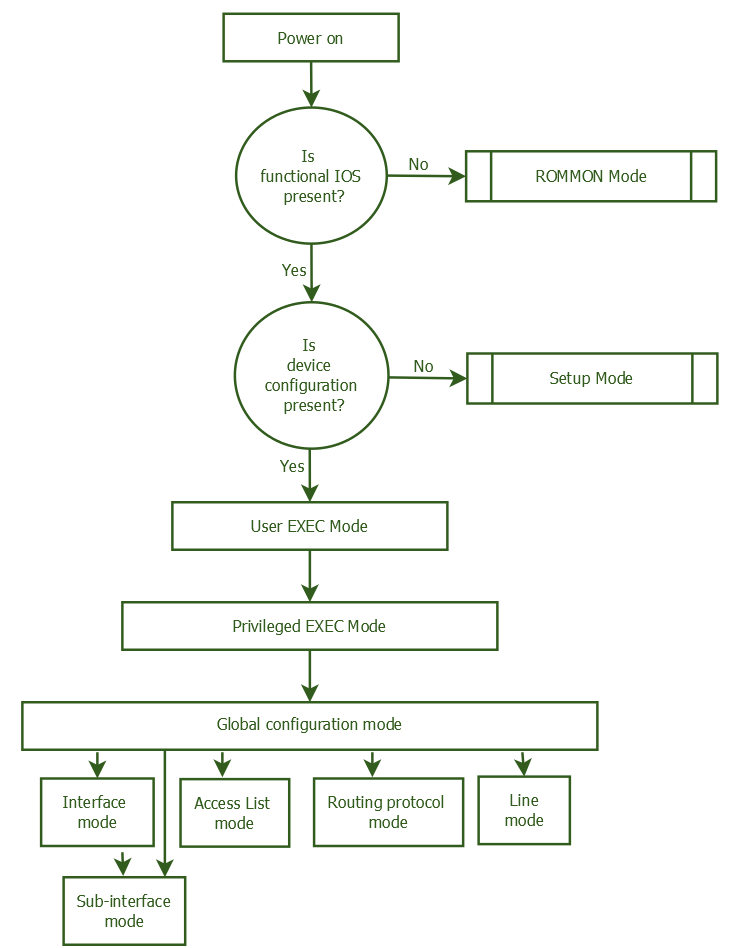
Router# enable -"Priviledge mode" moves user from user mode to enable mode
Router# reload -Tells the switch to reboot or reinitialize Cisco IOS
Router# ? -Help for all commands available in this mode
Router# help -Help for all commands available in this mode
Chapter 2. The
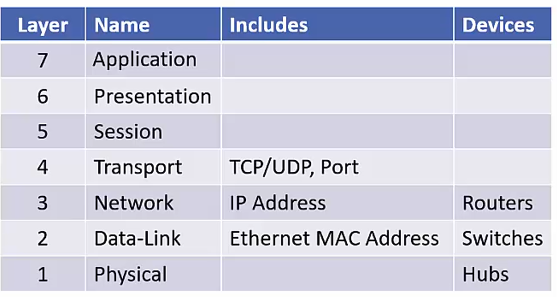
OSI mneumonic device "Please Do Not Throw Sausage Pizza Away"
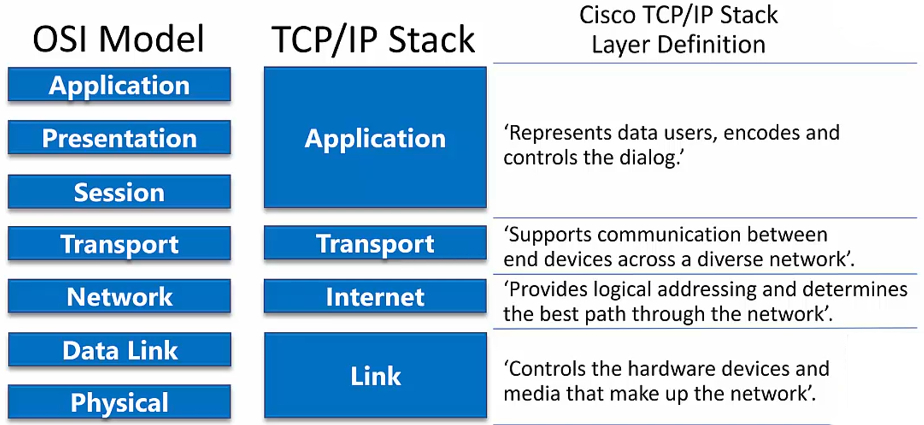
TCP/IP Stack
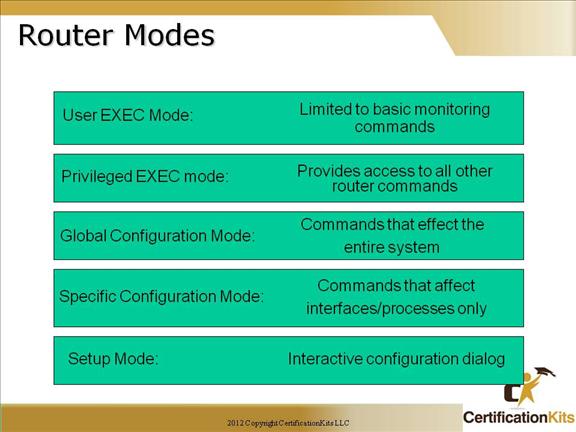
Cisco IOS Modes
Chapter 3. The
The ISO operating system is stored in Flash
The startup-config is stored in NVRAM
The running-config is stored in RAM (loaded into RAM from startup-config on boot)
do
: execute command in a different privileged mode (beginner mistake very commom, executing command in wrong priv mode and getting ERROR msg!!)Startup Config
: config that executes upon starting up the switch/router (saved to NVRAM)Running Config
: configuration that is currently active, These changes are not saved across device reboots.take effect immediately but Temporary*In practice, network admins often make changes to the running configuration first, test them to ensure they work as expected,
and then save those changes to the startup configuration if they want them to persist.
Use copy command to make changes persistant across reboots
# copy running-config startup-config
OR
# copy run start
Factory Reset
# erase startup-config and # reloadBackup config
# copy run flash:my-config (copys running-config to the flash memory of the switch/router)show flash dir
# sh flashChapter 4. The
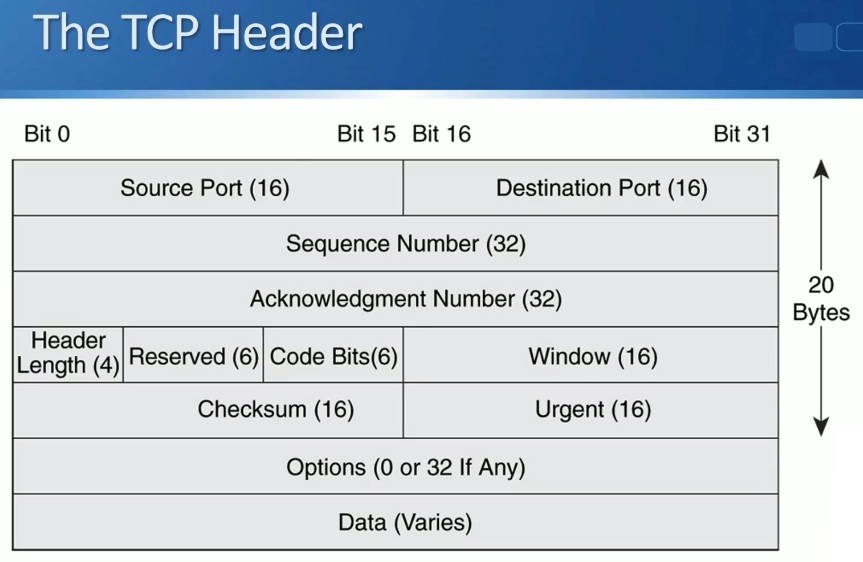
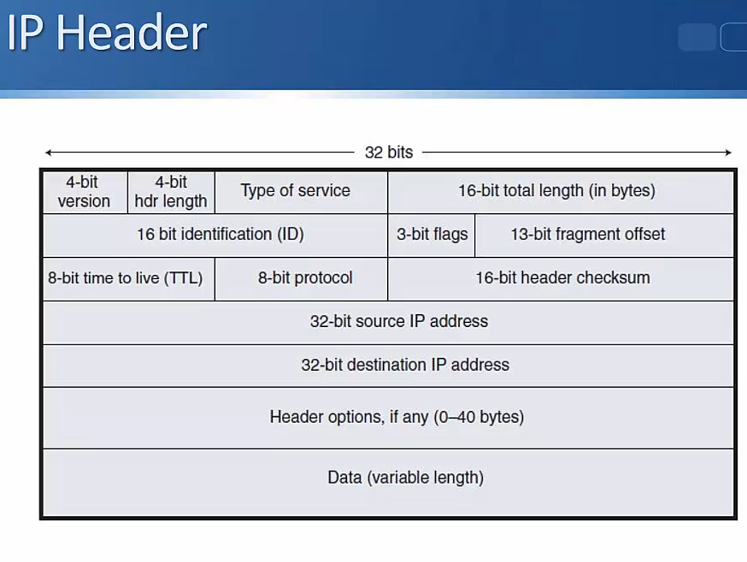
Network ID:
All 0's in the host portion (subnet mask all 0's portion) designates the Network address aka network ID and therefor is NOT a valid host IP(the bottom/first address in this particular subnet)
Broadcast address:
All 1's in the host portion of the subnet maskBlock Size:
256 - subnet mask value. This number determines the intervals at which subnets occur (eg a block size of 16, networks start at 0, 16, 32 etc.)Magic number
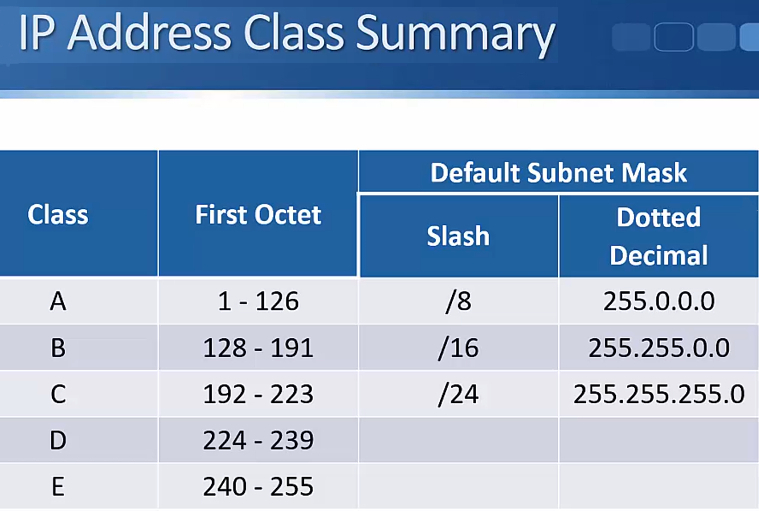
Chapter 5. The
Formula for calculating Subnetworks
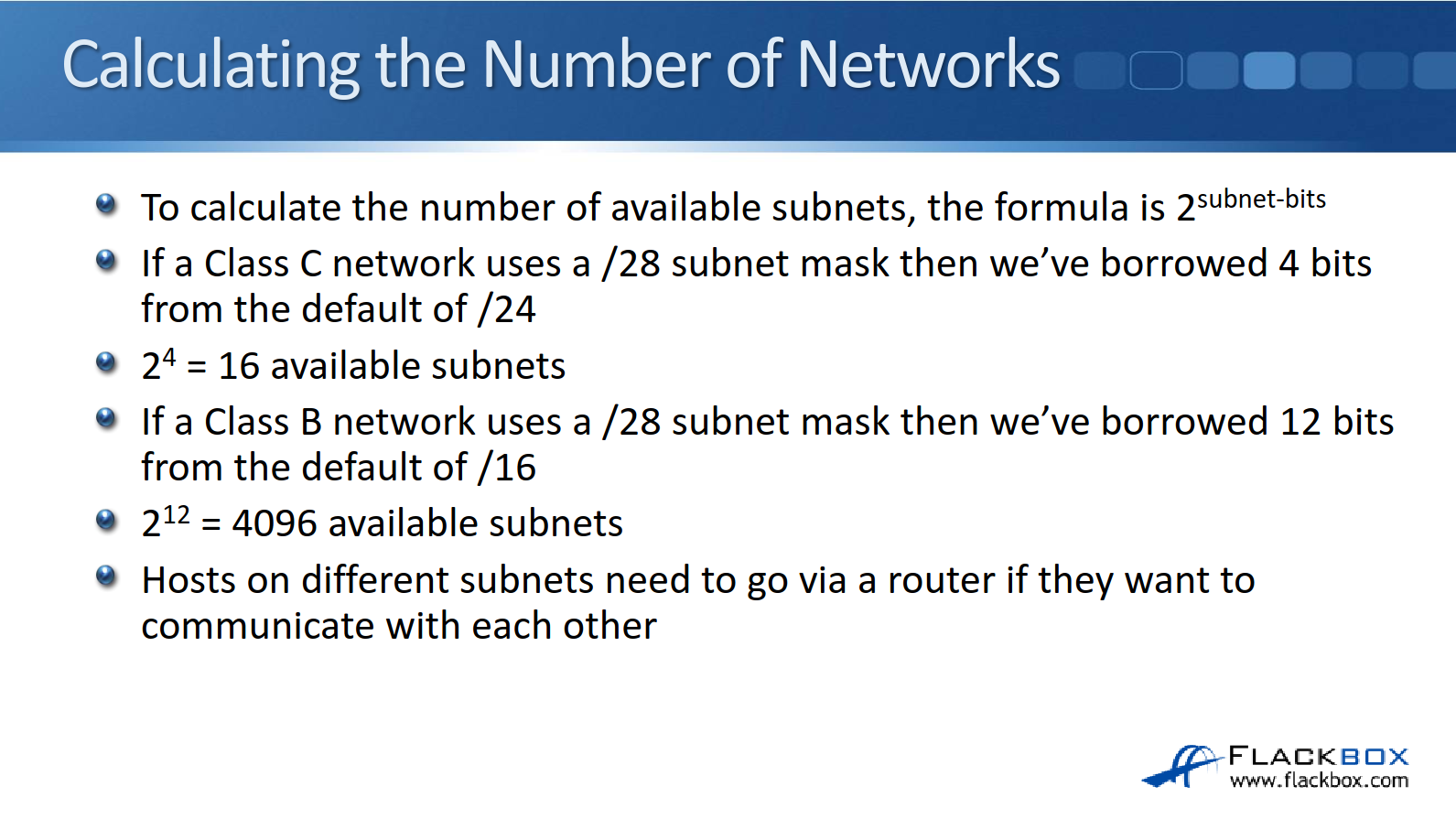
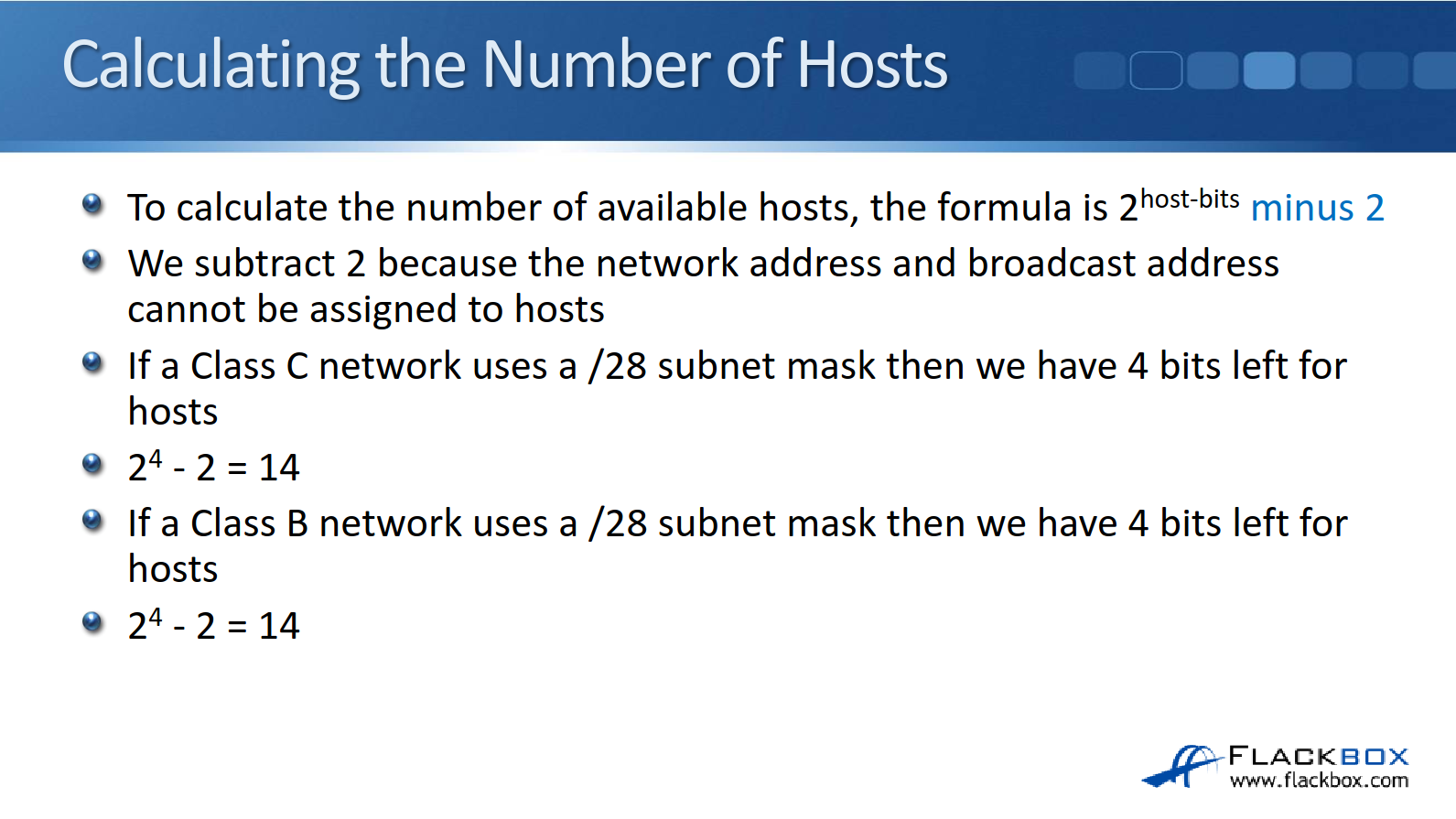
Formula for calculating number of hosts per network
In the original Internet standards, it was not allowed to use network bits of all 0’s or all 1’s (just like we can’t use all host bits of all 0’s or all 1’s)
There wasn’t really any practical need for this and it wasted address space
The "# ip subnet-zero" command on a router overrides the limitation, and is enabled by default
Chapter 6. The
Chapter 7. The
Chapter 8. The
Chapter 9. The
Chapter 10. The
Chapter 11. The
Chapter 12. The
Chapter 13. The
Chapter 14. The
Chapter 15. The
Chapter 16. The
Chapter 17. The
Chapter 18. The
Chapter 19. The
Chapter 20. The
Chapter 21. The
Chapter 22. The
Chapter 23. The
Chapter 24. The